DNS 서버에 보내는 방법
cat /etc/resolv.conf
nameserver 192.168.1.100
모르는 이름의 호스트를 마주치면 DNS 서버에서 이름을 가져오게 됨.
ip link

ip addr

ip addr add 192.168.1.10/24 dev eth0

ip route

ip route add 192.168.1.10/24 via 192.168.2.1

arp

netstat -plnt
- Create Network namespace
- Create Bridge Network/Interface
- Create vETH Pairs
- Attach vETH to Namespace
- Attach Other vETH to Bridge
- Assign IP Address
- Bring the Interface Up
- Enable NAT -IP Masquerade
이 모든 일련의 과정을 create Network Namespace 로 통합하였다.
bridge add <cid> <namespace>
CNI (Container Network Interface)
컨테이너 런타임 환경에서 네트워킹 문제를 해결하기 위해 어떻게 개발되어야할지 정의하는 표준의 집합
실습
What is the network interface configured for cluster connectivity on the controlplane node?
node-to-node communication
then
What is the MAC address assigned to node01?
kubectl get nodes -o wide
> {ip 주소}

ip a | grep {ip 주소}
> 6254: eth0@if6255: <BROADCAST,MULTICAST,UP,LOWER_UP> mtu 1450 qdisc noqueue state UP group default
    link/ether 02:42:c0:16:ad:09 brd ff:ff:ff:ff:ff:ff link-netnsid 0 # Mac 주소
    inet 192.22.173.9/24 brd 192.22.173.255 scope global eth0 #

ssh node01
같은 것 반복
Pod Networking
net.script.sh
AS-IS
# create Veth Pair
ip link add

# Attach Veth Pair
ip link set ...
ip link set ...

# Assign IP Address
	# Invoke IPAM host-local plugin
	ip = get_free_ip_from_file() => /etc/cni/net.d/net-script.conf (아웃소싱 개념)
ip -n <namespace> addr add ..
ip -n <namespace> router add ..

# Bring it up Interface
ip -n <namespace> link set
겁나게 복잡한 일련의 과정을 CNI를 통해 다음의 한줄로 요약이 가능하다.
/etc/cni/net.d/net-script.conflist → /opt/cni/bin/net-script.sh → ./net-script.sh add <container> <namespace
TO-BE
ip -n <namespace> link set ...

ip link del ...
CNI in kubernetes
kubelet.service
ps -aux | grep kubelet

--network-policy=cni
--cni-bin-dir=/opt/cni/bin
--cni-conf-dir=/etc/cni/net.d
실습
What is the POD IP address range configured by weave?
ip addr show weave
kubectl logs -n kube-system weave-net-xx | grep ipalloc-range
Service Networking
가상의 IP가 만들어지고 각 node에 ip를 배치하게 된다.
ClusterIP라고도 부른다.
iptables -L -t nat | grep db-service
cat /var/log/kube-proxy.log 에서
DNS in kubernetes Cluster
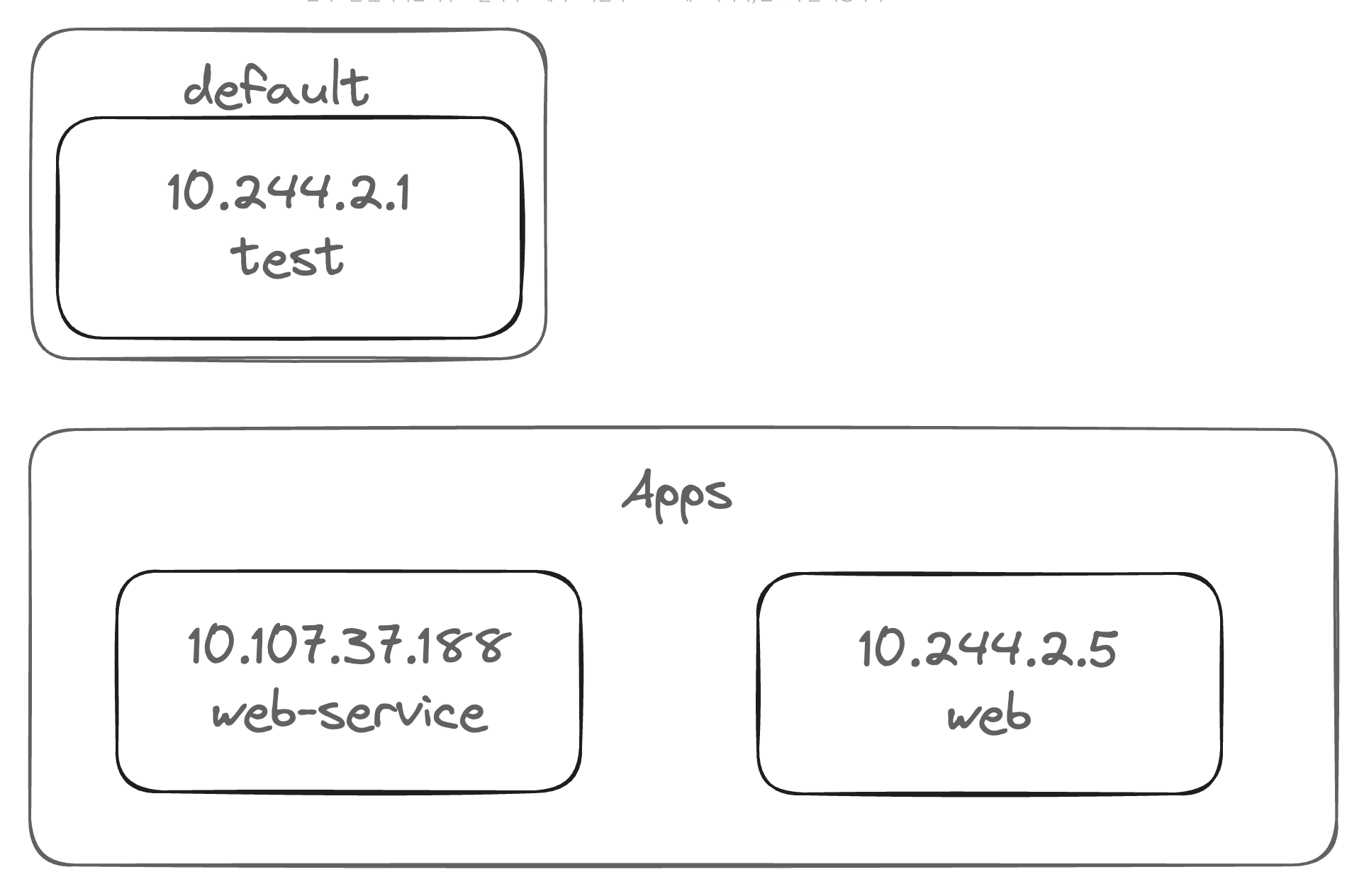
| Hostname | Namespace | Type | Root | IP Address |
|---|---|---|---|---|
| web-service | apps | svc | cluster.local | 10.107.37.188 |
| 10-244-2-5 | apps | pod | cluster.local | 10.244.2.5 |
curl web-service.apps.svc.cluster.local
curl 10-244-2-5.apps.pod.cluster.local